Why screen sharing doesn't work for EMDR
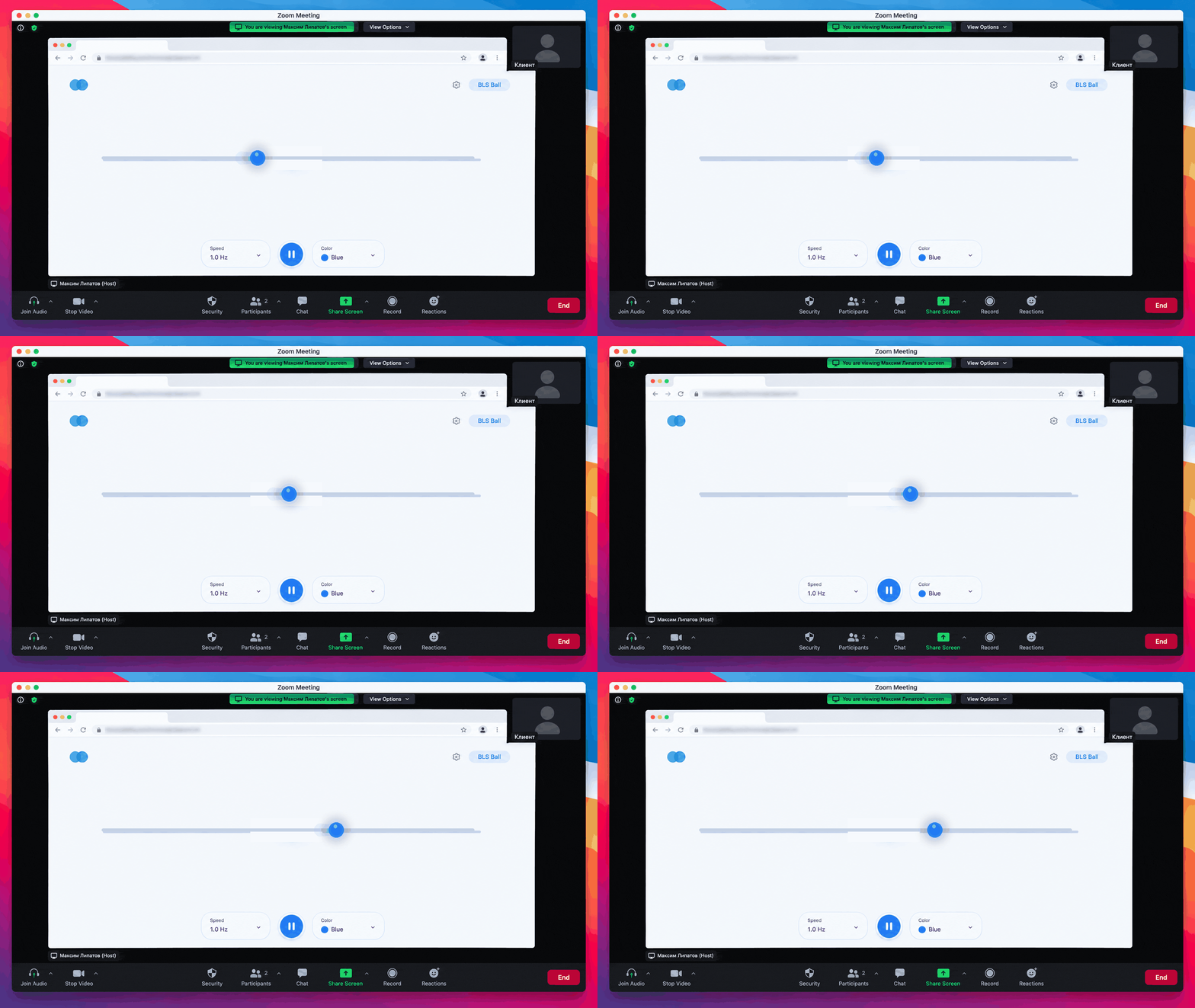
If you've run online sessions through Zoom, Skype, or WhatsApp, you know the problem: when you share your screen, a ball from a YouTube video lags, stutters, and jerks — rhythmic stimulation turns into flicker. The client tenses up, tracking the ball between lurches, and the quality of processing drops.
Smoothness isn't a cosmetic detail — it's part of the method: bilateral stimulation works precisely through a stable, predictable rhythm of movement.
How blsnow.io solves this problem
blsnow.io works differently: the ball renders on the client's device instead of being broadcast over video. No screen sharing — the client opens a link and stimulation runs at maximum smoothness on any device: computer, tablet, or phone.
You no longer fight poor connection quality or ask the client to move closer to the camera. You work as you would in an in-person session — just with the client on the other side of the screen.
Try it in your next session
How it works: 4 steps
Step 1. Set up the session parameters
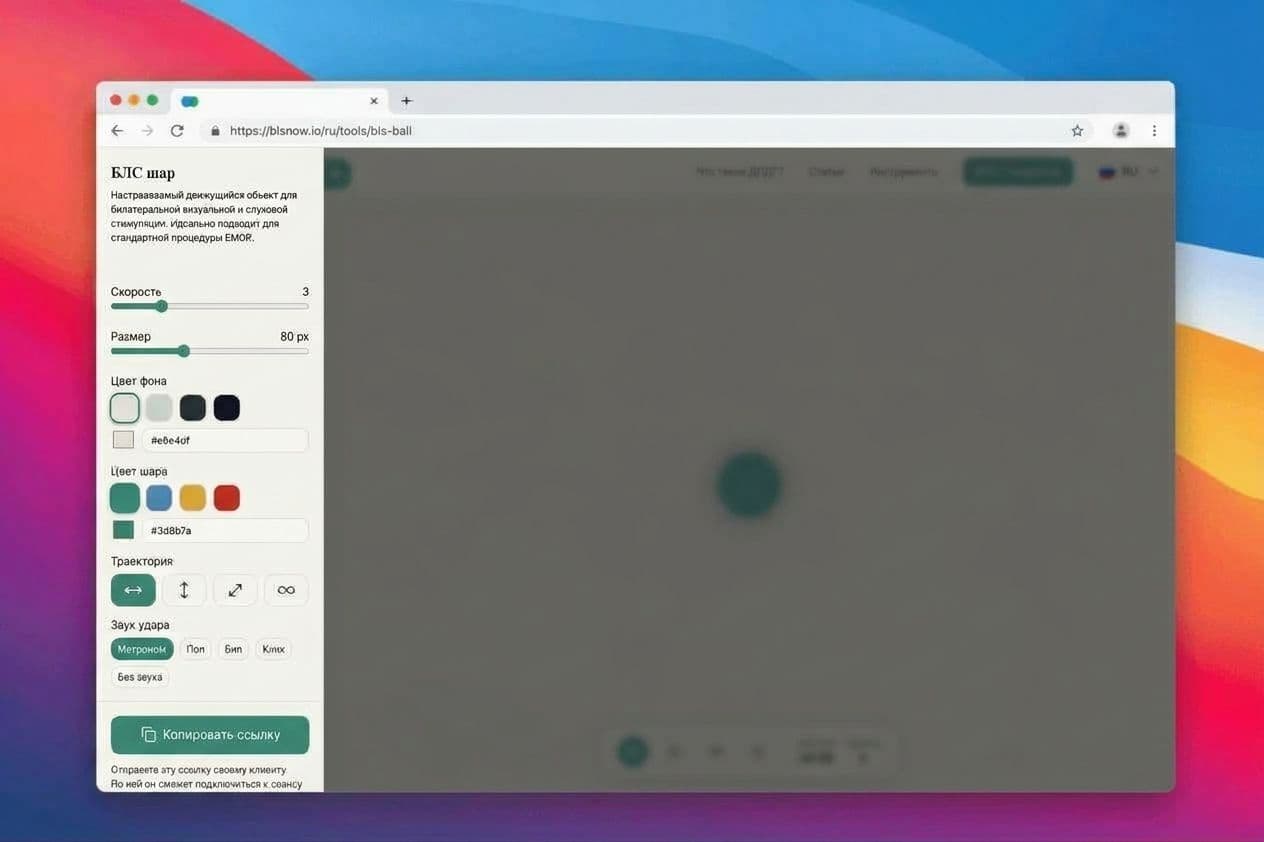
Open the BLS Ball and configure the session as you would for in-person work:
- Speed — adjustable during the session
- Ball color and size — matched to the client's lighting and screen
- Trajectory — horizontal (classic) or diagonal
- Sound — binaural tones if you work through the audio channel
Your settings are saved on the server and applied to the client automatically.
Step 2. Copy the client link
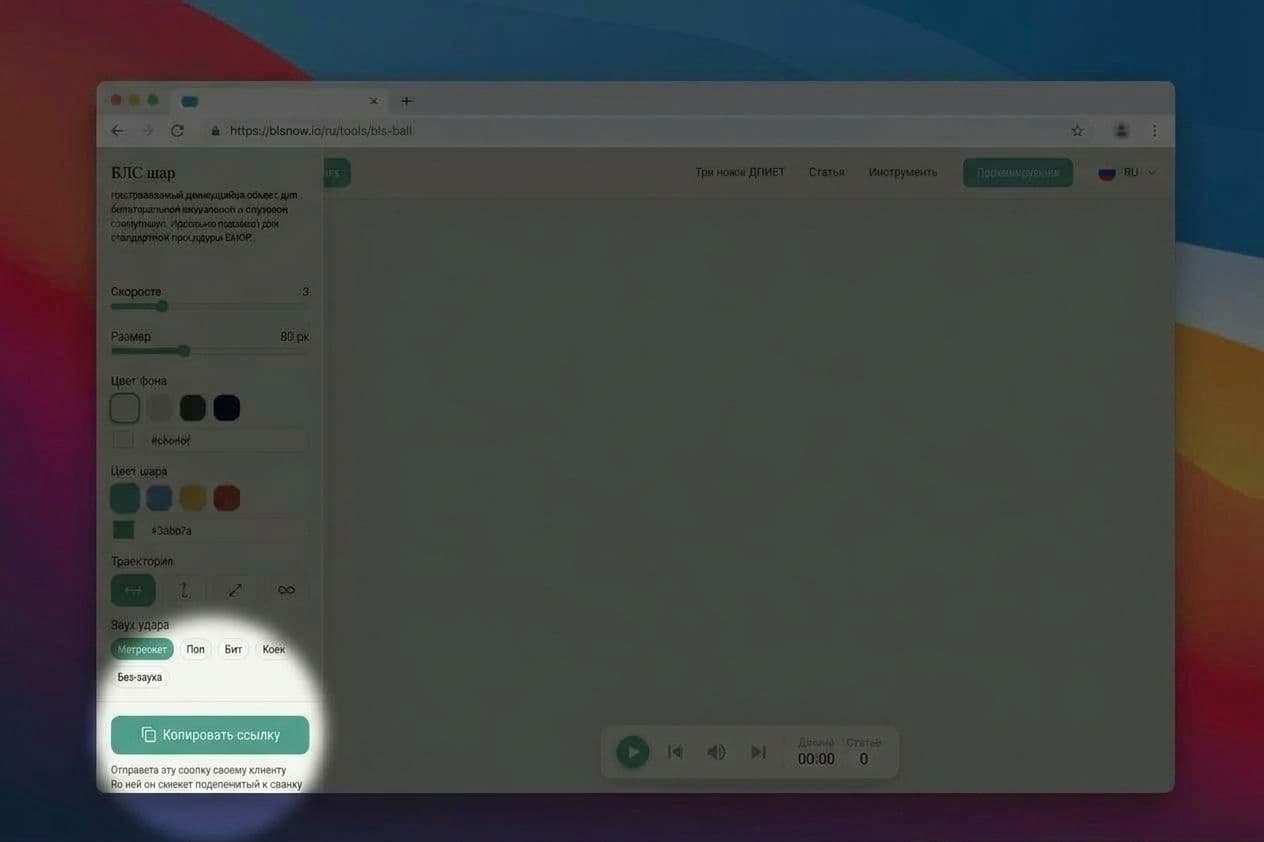
Click the "Copy link" button to get a link for your client. All of your settings are encoded in the link — the client doesn't need to configure anything.
Step 3. Send the link to the client
Send the link in any messenger — Telegram, WhatsApp, or your video call chat. The client opens it in a browser, with nothing to install. No registration required.
We recommend sending the link in advance — before you begin the session, so that everything is already open on the client's screen by the time stimulation starts.
Step 4. Run the session — the client only follows the ball
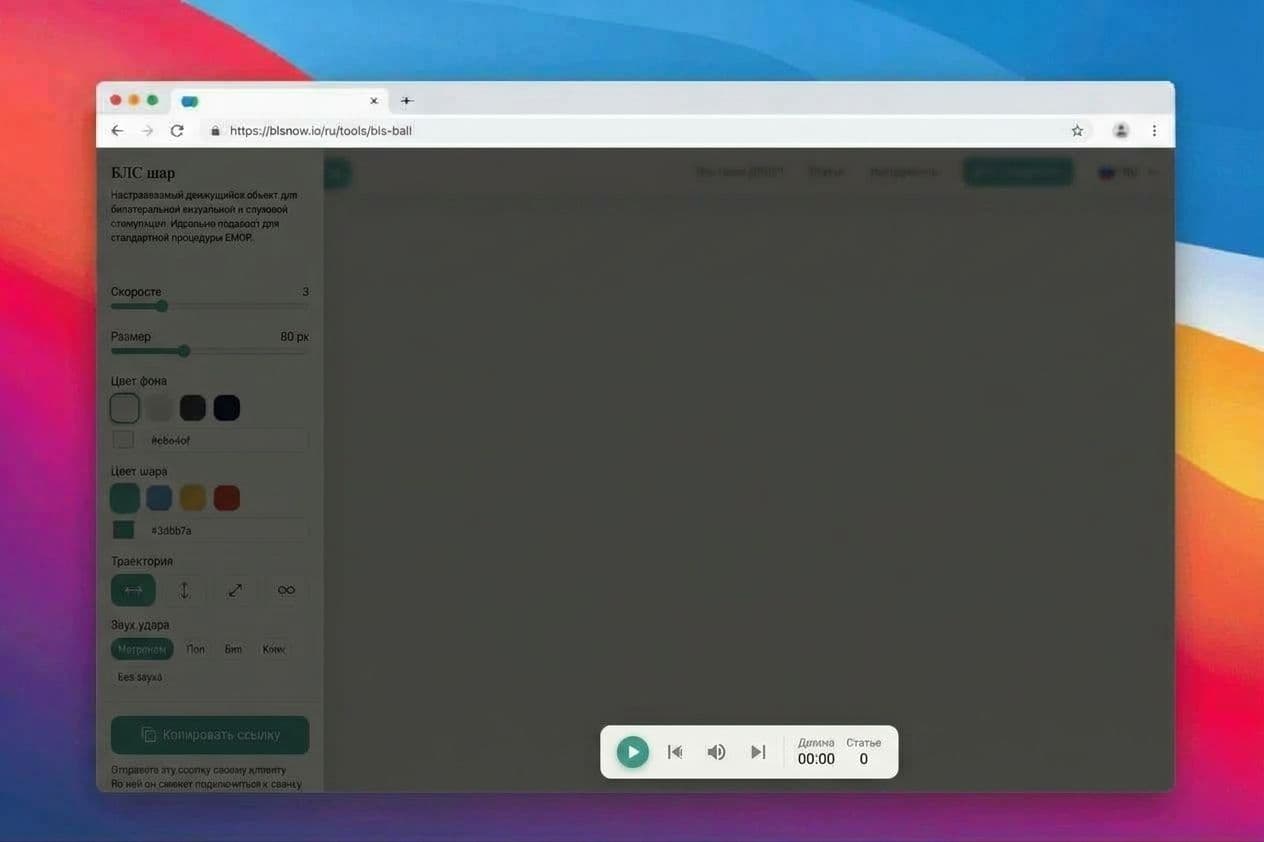
You have full control over the process: start and stop the session, adjust speed in real time. Everything you do in your panel instantly reflects on the client's screen.
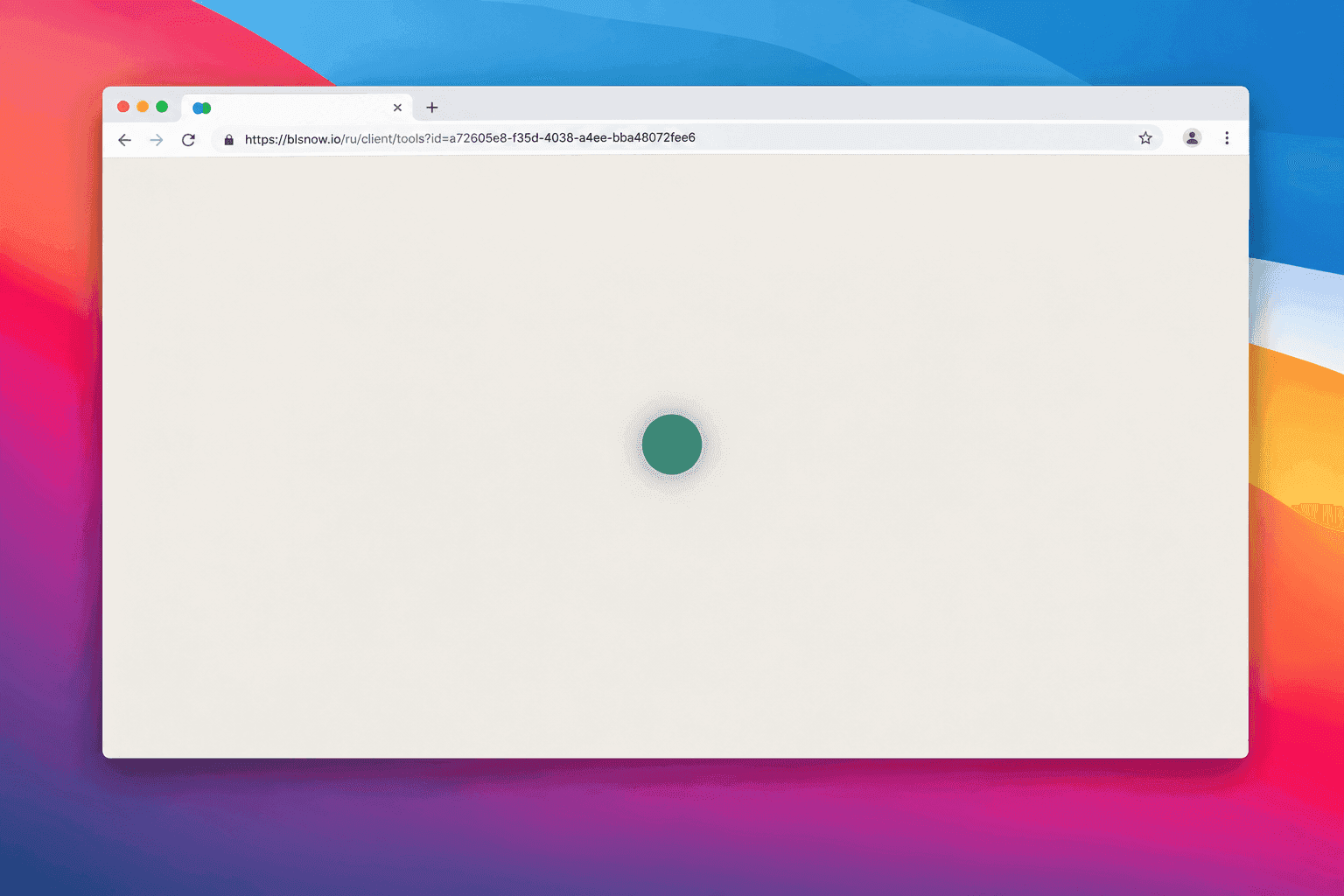
The client sees only a fullscreen ball — no panels, buttons, or extra elements. No distracting interfaces during processing.
What the client sees
The client opens the link and sees a fullscreen ball with a short hint: "Your therapist is running this session. Follow the ball with your eyes only." After that — just stimulation.
Frequently asked questions
Does the client need to install anything?
No. The link opens in any modern browser — on a computer, tablet, or phone.
Does it work on the client's phone?
Yes. The ball adapts to any screen. Many clients open the link on their phone and place it in front of them.
What happens if the client closes the tab or the connection drops?
The client can simply open the link again — the settings are saved. You'll see that the client has reconnected and can continue the session.
Who stops the session?
Only you. The client cannot accidentally stop or change the stimulation.
Do I or the client need to register?
No. The service works without registration or installation.
For managing saved settings, we recommend registering.
Is it safe to send the client a link?
The link contains only an identifier that stores technical session parameters (speed, color, sound). No personal data or session content is transmitted through the link.
How much does it cost?
The basic client session mode is free. See the full usage terms on the Platform Terms of Service page.
Start practicing
{
"data": {
"id": 195,
"documentId": "m4gv3gswzmc3i78s11qushji",
"title": "EMDR online session: how to work with a client",
"slug": "emdr-online-session-working-with-client",
"description": "Run bilateral stimulation in an online session without screen sharing. Your client opens a link on their own device — the ball moves across their full screen while you control the session: speed, direction, and pauses.",
"createdAt": "2026-10-11T23:30:10.457Z",
"updatedAt": "2026-10-12T14:18:59.090Z",
"publishedAt": "2026-10-12T14:18:59.205Z",
"locale": "en",
"headerTabs": null,
"openGraph": null,
"seo": {
"id": 378,
"description": "How to run an online EMDR session without screen sharing: your client opens a link, follows the ball, and you control the bilateral stimulation in real time.",
"title": "EMDR Online Session: How to Work with a Client | BLS Now",
"keywords": null,
"canonical": null,
"redirect": null,
"robotsIndex": true,
"robotsFollow": true,
"robotsAdvanced": null
},
"localizations": [
{
"id": 202,
"documentId": "m4gv3gswzmc3i78s11qushji",
"title": "ДПДГ-сессия онлайн: как работать с клиентом",
"slug": "dpdg-sessiya-onlajn-kak-rabotat-s-klientom",
"description": "Проводите билатеральную стимуляцию в онлайн-сессии без демонстрации экрана. Клиент открывает ссылку у себя — шар летает на полном экране его устройства, а вы управляете сессией: скоростью, направлением, паузами.",
"createdAt": "2026-10-11T17:07:27.451Z",
"updatedAt": "2026-10-14T17:20:21.952Z",
"publishedAt": "2026-10-14T17:20:22.105Z",
"locale": "ru"
}
],
"author": {
"id": 4,
"documentId": "b9di49rdoa7lfh91io2uife6",
"name": "Vasiliy Lazarev",
"slug": "lazarev",
"role": "Founder & Lead Developer",
"bio": "With over 20 years of experience in web development and building complex user interfaces, I am the author and creator of BLS Now (blsnow.io)—a specialized cloud SaaS platform designed for practicing EMDR and BLS specialists. By combining decades of technical expertise with modern technologies, I ensure that therapists have a stable, secure, and intuitive environment to work with their clients in real time.",
"createdAt": "2026-07-08T13:50:22.149Z",
"updatedAt": "2026-07-08T13:50:22.149Z",
"publishedAt": "2026-07-08T13:50:22.110Z",
"locale": "en",
"avatar": null
},
"contents": [
{
"__component": "widgets.markdown-widget",
"id": 480,
"content": "If you've run online sessions through Zoom, Skype, or WhatsApp, you know the problem: when you share your screen, a ball from a YouTube video lags, stutters, and jerks — rhythmic stimulation turns into flicker. The client tenses up, tracking the ball between lurches, and the quality of processing drops.\n\nSmoothness isn't a cosmetic detail — it's part of the method: bilateral stimulation works precisely through a stable, predictable rhythm of movement.\n\n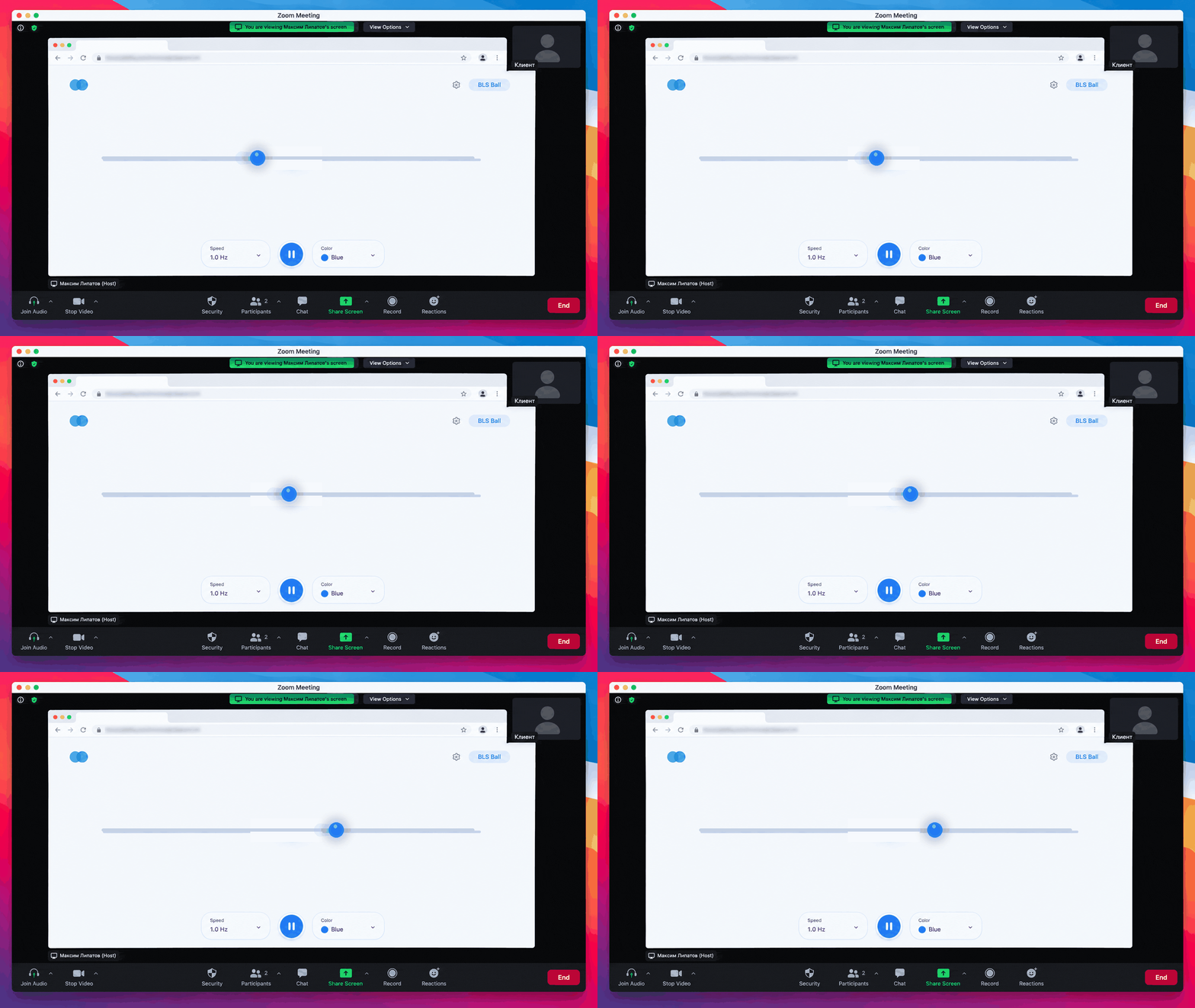",
"sectionProps": {
"id": 830,
"title": "Why screen sharing doesn't work for EMDR",
"description": null,
"badge": "Pain",
"textAlign": "CENTER",
"padding": "ALL",
"fullheight": false,
"anchorId": null,
"background": null
}
},
{
"__component": "widgets.markdown-widget",
"id": 481,
"content": "blsnow.io works differently: **the ball renders on the client's device** instead of being broadcast over video. No screen sharing — the client opens a link and stimulation runs at maximum smoothness on any device: computer, tablet, or phone.\n\nYou no longer fight poor connection quality or ask the client to move closer to the camera. You work as you would in an in-person session — just with the client on the other side of the screen.",
"sectionProps": {
"id": 831,
"title": "How blsnow.io solves this problem",
"description": null,
"badge": "Solution",
"textAlign": "CENTER",
"padding": "ALL",
"fullheight": false,
"anchorId": null,
"background": null
}
},
{
"__component": "widgets.action-buttons-widget",
"id": 106,
"sectionProps": {
"id": 834,
"title": "Try it in your next session",
"description": "Setup takes less than a minute — you'll get the client link right away.",
"badge": "BLS stimulator",
"textAlign": "CENTER",
"padding": "ALL",
"fullheight": false,
"anchorId": null,
"background": null
},
"buttons": [
{
"id": 168,
"label": "Set up a session",
"type": "external",
"externalUrl": "https://blsnow.io/en/tools/bls-ball",
"page": null
}
]
},
{
"__component": "widgets.markdown-widget",
"id": 482,
"content": "### Step 1. Set up the session parameters\n\nOpen the [BLS Ball](https://blsnow.io/en/tools/bls-ball) and configure the session as you would for in-person work:\n\n- **Speed** — adjustable during the session\n- **Ball color and size** — matched to the client's lighting and screen\n- **Trajectory** — horizontal (classic) or diagonal\n- **Sound** — binaural tones if you work through the audio channel\n\nYour settings are saved on the server and applied to the client automatically.\n\n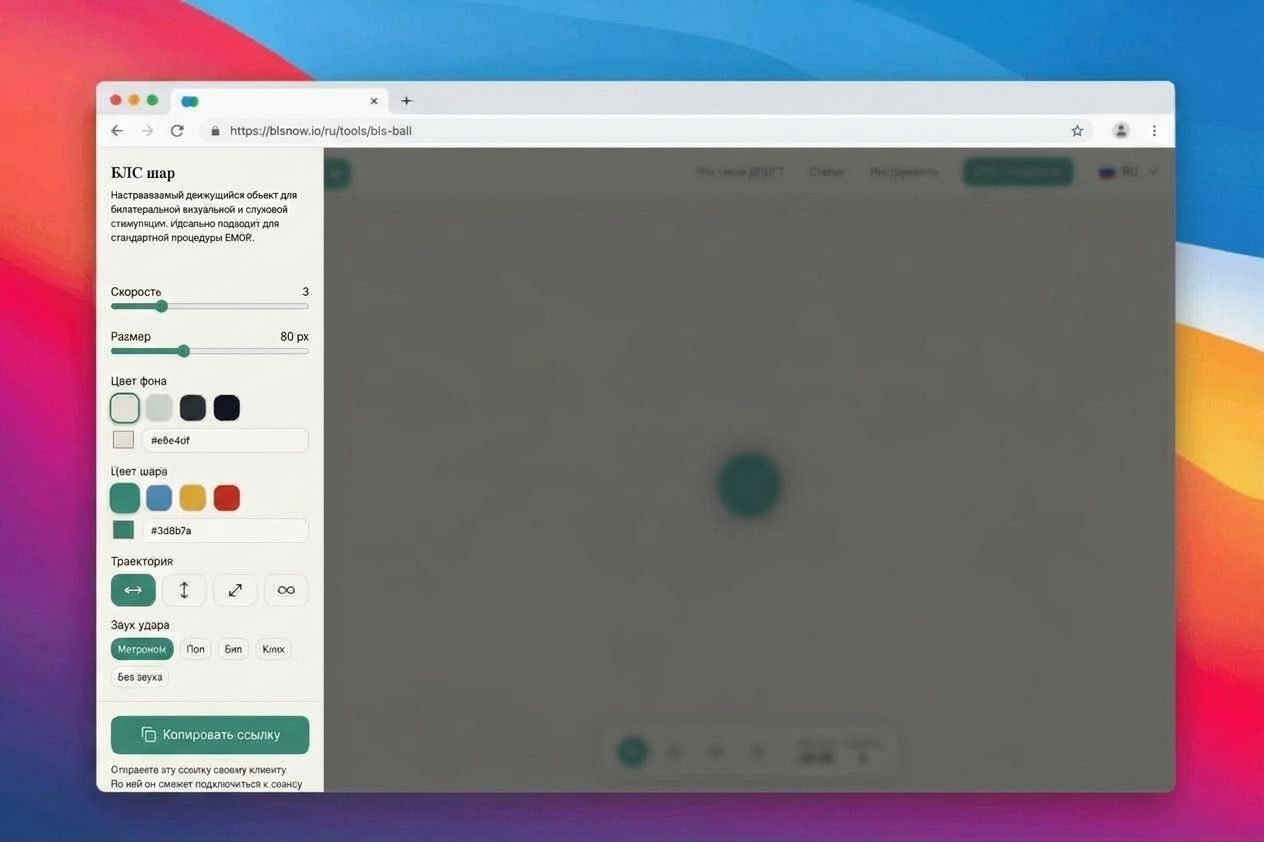\n\n### Step 2. Copy the client link\n\nClick the **\"Copy link\"** button to get a link for your client. All of your settings are encoded in the link — the client doesn't need to configure anything.\n\n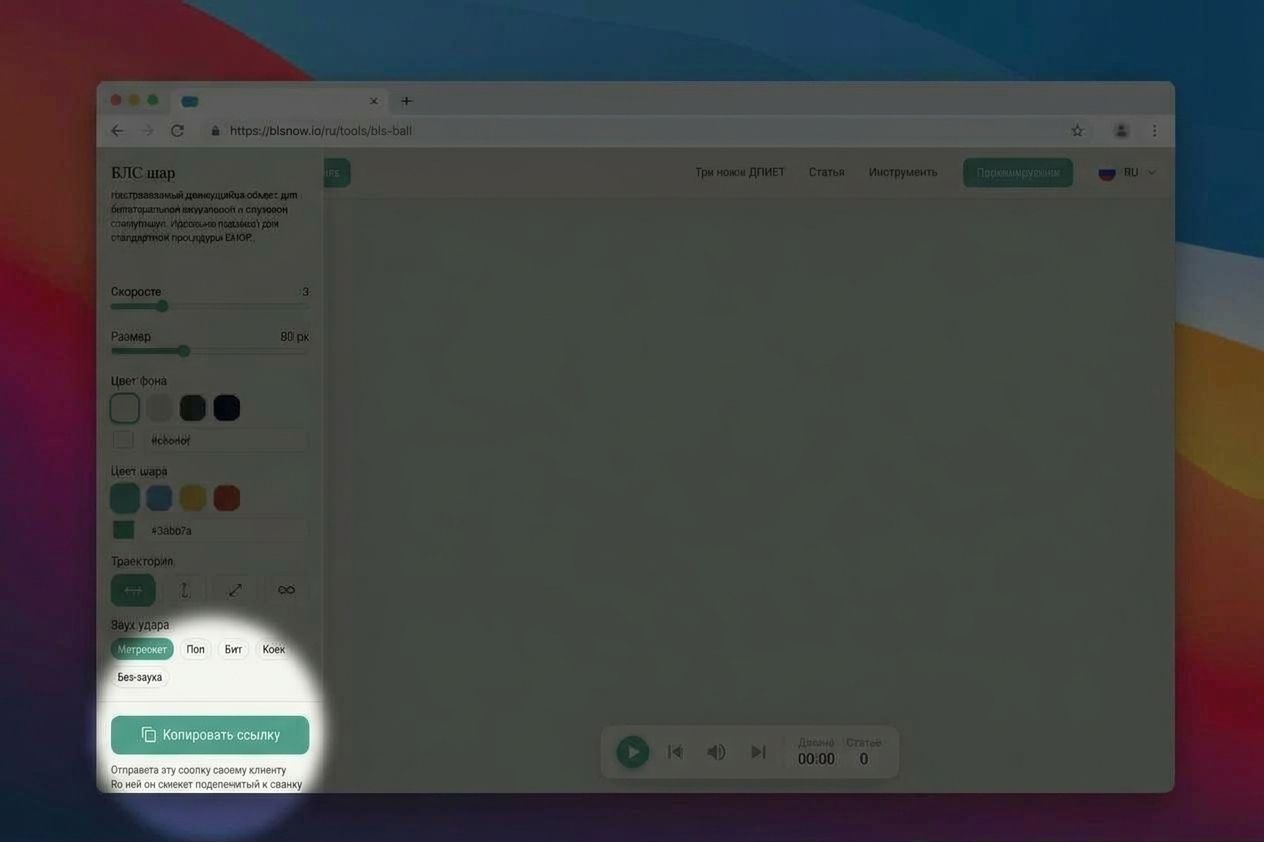\n\n### Step 3. Send the link to the client\n\nSend the link in any messenger — Telegram, WhatsApp, or your video call chat. The client opens it in a browser, with nothing to install. No registration required.\n\nWe recommend sending the link in advance — before you begin the session, so that everything is already open on the client's screen by the time stimulation starts.\n\n### Step 4. Run the session — the client only follows the ball\n\nYou have full control over the process: start and stop the session, adjust speed in real time. **Everything you do in your panel instantly reflects on the client's screen.**\n\nThe client sees only a fullscreen ball — no panels, buttons, or extra elements. No distracting interfaces during processing.\n\n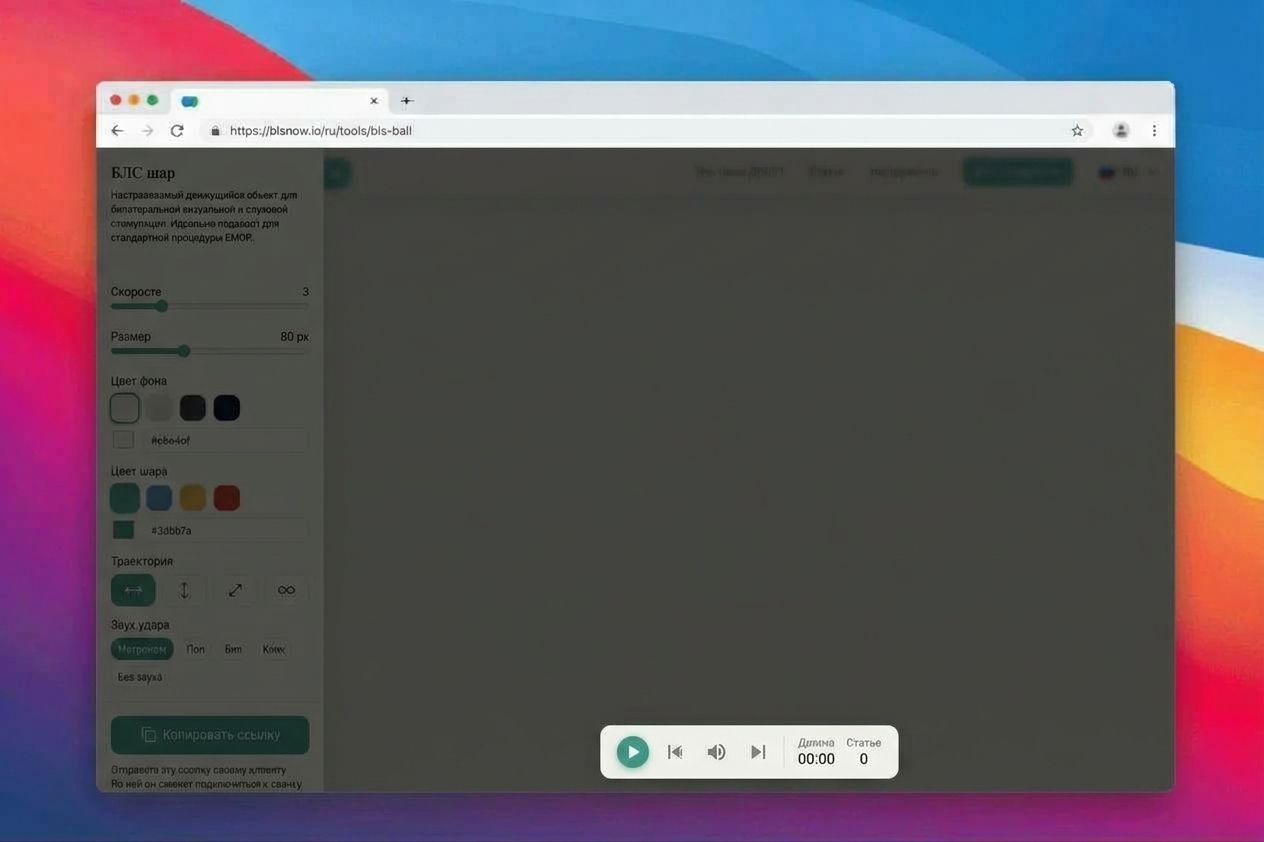",
"sectionProps": {
"id": 832,
"title": "How it works: 4 steps",
"description": null,
"badge": "4 steps",
"textAlign": "CENTER",
"padding": "ALL",
"fullheight": false,
"anchorId": null,
"background": null
}
},
{
"__component": "widgets.markdown-widget",
"id": 483,
"content": "The client opens the link and sees a fullscreen ball with a short hint: \"Your therapist is running this session. Follow the ball with your eyes only.\" After that — just stimulation.\n\n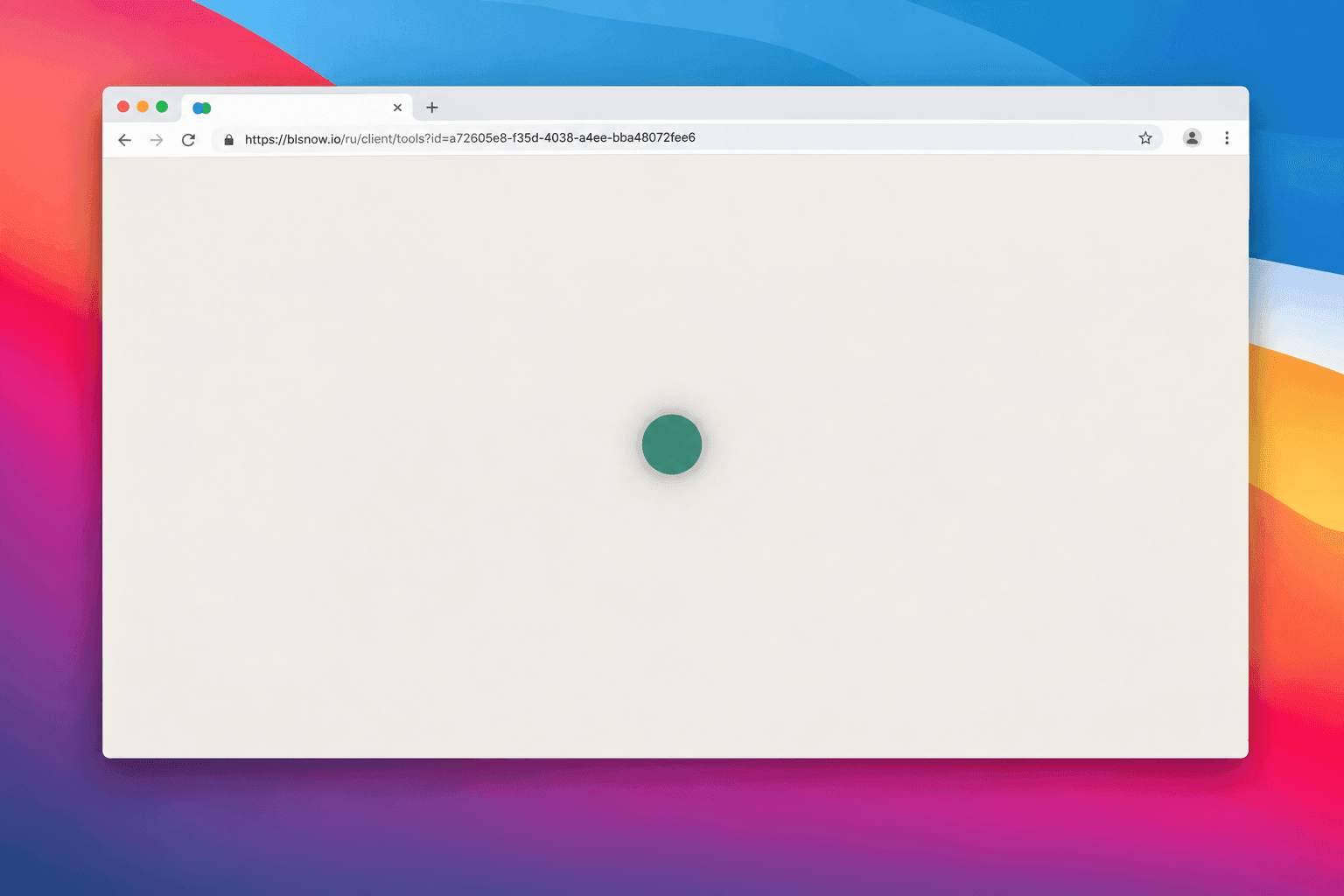",
"sectionProps": {
"id": 833,
"title": "What the client sees",
"description": null,
"badge": null,
"textAlign": "CENTER",
"padding": "ALL",
"fullheight": false,
"anchorId": null,
"background": null
}
},
{
"__component": "widgets.accordion-widget",
"id": 12,
"structuredData": {
"id": 5,
"type": "FAQ_PAGE"
},
"sectionProps": {
"id": 836,
"title": "Frequently asked questions",
"description": null,
"badge": "FAQ",
"textAlign": "CENTER",
"padding": "ALL",
"fullheight": false,
"anchorId": null,
"background": null
},
"accordion": {
"id": 12,
"items": [
{
"id": 78,
"title": "Does the client need to install anything?",
"content": [
{
"type": "paragraph",
"children": [
{
"text": "No. The link opens in any modern browser — on a computer, tablet, or phone.",
"type": "text"
}
]
}
]
},
{
"id": 79,
"title": "Does it work on the client's phone?",
"content": [
{
"type": "paragraph",
"children": [
{
"text": "Yes. The ball adapts to any screen. Many clients open the link on their phone and place it in front of them.",
"type": "text"
}
]
}
]
},
{
"id": 80,
"title": "What happens if the client closes the tab or the connection drops?",
"content": [
{
"type": "paragraph",
"children": [
{
"text": "The client can simply open the link again — the settings are saved. You'll see that the client has reconnected and can continue the session.",
"type": "text"
}
]
}
]
},
{
"id": 81,
"title": "Who stops the session?",
"content": [
{
"type": "paragraph",
"children": [
{
"text": "Only you. The client cannot accidentally stop or change the stimulation.",
"type": "text"
}
]
}
]
},
{
"id": 82,
"title": "Do I or the client need to register?",
"content": [
{
"type": "paragraph",
"children": [
{
"text": "No. The service works without registration or installation.",
"type": "text"
}
]
},
{
"type": "paragraph",
"children": [
{
"text": "For managing saved settings, we recommend ",
"type": "text"
},
{
"rel": "noopener nofollow",
"url": "https://blsnow.io/en/auth/register",
"type": "link",
"target": "_blank",
"children": [
{
"text": "registering",
"type": "text"
}
]
},
{
"text": ".",
"type": "text"
}
]
}
]
},
{
"id": 83,
"title": "Is it safe to send the client a link?",
"content": [
{
"type": "paragraph",
"children": [
{
"text": "The link contains only an identifier that stores technical session parameters (speed, color, sound). No personal data or session content is transmitted through the link.",
"type": "text"
}
]
}
]
},
{
"id": 84,
"title": "How much does it cost?",
"content": [
{
"type": "paragraph",
"children": [
{
"text": "The basic client session mode is free. See the full usage terms on the ",
"type": "text"
},
{
"rel": "noopener nofollow",
"url": "https://blsnow.io/en/terms-of-service",
"type": "link",
"target": "_blank",
"children": [
{
"text": "Platform Terms of Service",
"type": "text"
}
]
},
{
"text": " page.",
"type": "text"
}
]
}
]
}
]
}
},
{
"__component": "widgets.action-buttons-widget",
"id": 107,
"sectionProps": {
"id": 835,
"title": "Start practicing",
"description": "blsnow.io — a platform for EMDR therapy: bilateral stimulation tools, a knowledge base about the method, and materials for practitioners.",
"badge": "Practice",
"textAlign": "CENTER",
"padding": "ALL",
"fullheight": false,
"anchorId": null,
"background": null
},
"buttons": [
{
"id": 169,
"label": "Open BLS Ball →",
"type": "external",
"externalUrl": "https://blsnow.io/en/tools/bls-ball",
"page": null
}
]
}
]
},
"meta": {}
}